

Best App Store Screenshot Generator for Your Next Release
Seven App Store screenshot tools, five editors and two generators, compared on price, who designs the set, revision cost, and upload, plus a one-hour test on your own captures.
On this page
The best App Store screenshot generator is the one whose pricing matches how often you ship and whose design model matches how much layout work you want to do yourself. For a single English launch, a free editor such as AppMockUp Studio or the Basic plan of Screenshots Pro covers the job; for many locales and direct upload, a subscription editor earns its fee; and if you want the set designed from your captures, the choice is between AI generators that charge per set or per slide.
This guide compares seven tools on facts you can check: what the free tier exports, what a paid release costs, who decides the layout, what a change costs after the first export, and whether the files reach App Store Connect without a manual upload. Screenies is one of the seven, and its gaps are listed alongside everyone else's. Prices were read on September 25, 2026 from each tool's pricing page, or from the pricing section of the homepage for AppMockUp Studio and Launch Shots, unless the table says otherwise. The last section is a short test you can run on your own screens, so the final choice reflects your category and your captures.
Who wrote the rankings in the results
The top result is a Medium post that tested four tools, followed by a Reddit thread in r/AppStoreOptimization where developers trade names. Further down page one, Screenhance's roundup of nine generators lists Screenhance first. On page two, Screenshot Studio's guide for developers compares Screenshot Studio with four other tools. The remaining results are product homepages and YouTube tutorials. A roundup from a vendor still carries useful prices, but its criteria tend to be the features that vendor happens to sell.
Seven tools compared on price and design model
| Tool | Free tier | Paid option | Who designs the set | Upload to App Store Connect |
|---|---|---|---|---|
| AppMockUp Studio | Templates and device frames, no account required | No paid plan listed | You, starting from a template | Not listed on the homepage |
| AppLaunchpad | 10 templates, 100 layouts, limited exports | Pro: $15 a month billed annually ($29 month to month when checked September 21) | You, with 1,000+ templates on Pro | Not listed on the pricing page |
| AppScreens | One project, up to 5 screenshots, watermarked Pro features | Pro: US$25 monthly or US$99 a year; Scale: US$180 a year | You, with AI captions and restyling on Pro | One-click upload on Pro and Scale |
| Screenshots Pro | All devices, templates, and smart export for every size | Standard $19 a month; Extended $49 a month with API access | You, from templates, with 3D angles on Standard | Not listed on the pricing page |
| Screenhance | 3 watermarked exports a month at 1x | $6 Launch Pass (10 clean exports, 7 days); Pro $12 a month or $99 a year | You, from layouts built for general launch visuals | Not listed on the pricing page |
| Launch Shots | 3 AI generations, then 1 free credit a month | $1.93 per credit and up; $39 Launch Kit (14 days); $19 a month or $149 a year | AI writes a headline per screen and returns three editable directions | Direct publish |
| Screenies | Device mockup tool and size checker; generation is paid | $9, $19, or $39 packs (12, 30, or 75 credits), no renewal | Screenies plans the set from your screens and a short app description | Available once the workspace completes a qualifying pack purchase |
The first five are editors. Each gives you a canvas with device frames and templates, and each leaves the slide order, the headline on each slide, and the look of the whole set to you. They differ mostly on what the free tier withholds and on whether localization and upload are included. AppMockUp Studio asks for no account and lists no paid plan, while AppScreens puts the most automation of the five editors into its Pro plan: AI captions, translation into up to ten languages, and upload of the finished set. Screenshots Pro's free Basic plan is unusually complete for an editor, and its paid tiers add localization, custom fonts, and an API. Screenhance covers landing pages, social posts, and pitch decks as well as store screenshots, which suits someone who wants one tool for every launch visual.
The last two are generators. You upload app screens and describe the app, and the tool proposes the set. Launch Shots returns three art directions per generation and keeps the result editable, and generating, downloading, and publishing a set each cost one credit. Screenies returns one set, places your real capture inside the frame in code, and charges one credit per iPhone slide.
What each pricing model costs for one release
Pricing pages compare poorly because the units differ: some bill per month, some per set, and one per slide. Take a common job, six iPhone screenshots in English for one app update. AppMockUp Studio and Screenshots Pro's Basic plan cost nothing for it. AppScreens' free plan stops at five screenshots, so the sixth slide means a month of Pro at US$25, canceled before renewal, and AppLaunchpad's free plan limits exports, with Pro at $29 month to month at the last check. On Launch Shots, the three free generations cover the first attempts, and downloading and publishing the set cost one credit each, so the monthly free credit covers one of those steps and the other needs a top-up or the next month's credit. Six Screenies slides use half of a $9 Starter pack, leaving six credits for retries or a second set.
Adding iPad changes the math differently for each model. An editor reuses one design across every size it exports, so the price stays where it was. In Screenies, iPad is its own batch at two credits a slide, which adds twelve credits for the same six slides. Translation follows the same split: editors that include localization charge nothing extra per language, and Screenies charges a tenth of a credit for each slide in each locale. A yearly editor plan costs the same whether you ship once or twelve times, so its cost per release drops as you ship more, while per-set and per-slide prices don't move. The AppScreens alternative comparison works through the cost of one release in more detail.
Which tool fits which job
These are the facts that separate the tools, grouped by the requirement that usually decides a purchase.
- No budget, one language. AppMockUp Studio exports without an account, and Screenshots Pro's Basic plan includes every device and template at no cost. The free screenshot generator guide lists where each free tier stops.
- Many locales and direct upload. AppScreens Pro includes ten languages and one-click upload, and Scale raises that to 80+ locales with unlimited projects. Launch Shots also publishes directly, with 15 languages on its Launch Kit and on accounts that have bought credits.
- Client work. Screenshots Pro's Extended plan and AppScreens Scale both carry a license that covers work for paying clients.
- Someone else proposes the design. Launch Shots and Screenies both start from your captures. Launch Shots gives you three directions and an editable file. Screenies gives you one set with the capture untouched and free headline edits, with no canvas to adjust. The AI screenshot generator buyer's guide covers how to tell real planning apart from AI-written captions on a template.
- An agent does the work. Screenies runs a remote MCP server, so Claude Code or Cursor can upload captures and start a set from chat. AppScreens lists API and MCP integrations as coming soon.
A one-hour test that ranks them for your app
The table sorts tools by price and workflow, and neither says whether the result will look right for your app. Shortlist two tools, one editor and one generator, and give each the same material: your five or six strongest screens and one sentence about who the app is for. Allow thirty minutes per tool. In the editor, pick a template and build every slide with headlines you write yourself. In the generator, upload the screens with the description and start a Screenies set for iPhone portrait. Stop each tool when its thirty minutes are up, and note how many slides you'd be willing to upload.
Then compare the two sets on four points. Shrink both to thumbnail width and read the first three slides, since those are what a search result shows. Check that the screen inside each device frame is your real, current UI. Change one headline in each tool and note what it costs in time or credits. Finally, drop the exported PNGs into the screenshot size checker, which reads the dimensions, format, and any transparency in your browser before you upload anything.
Screenies in this lineup
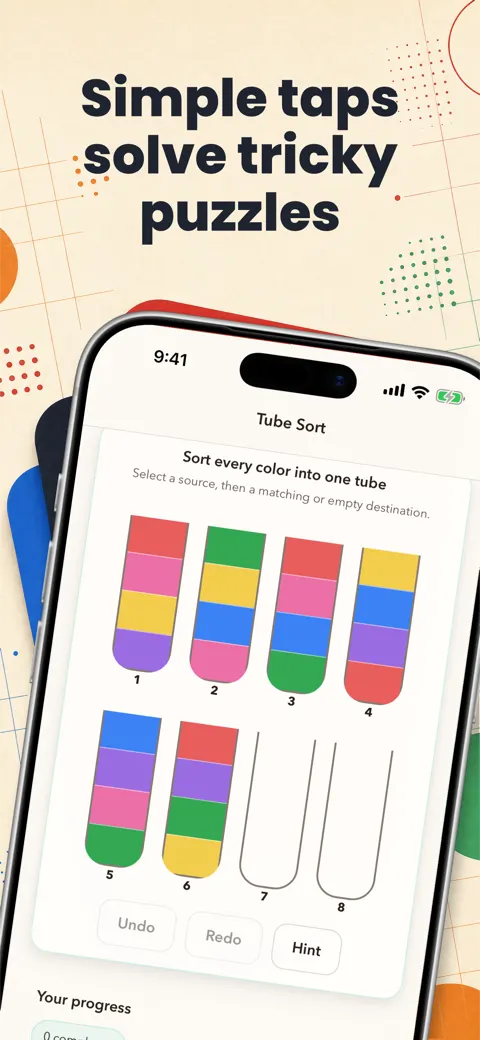
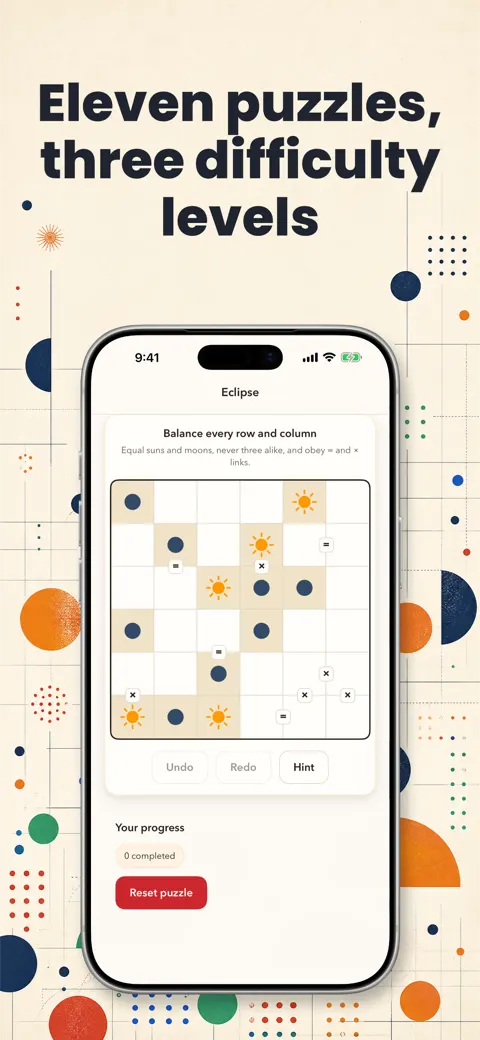
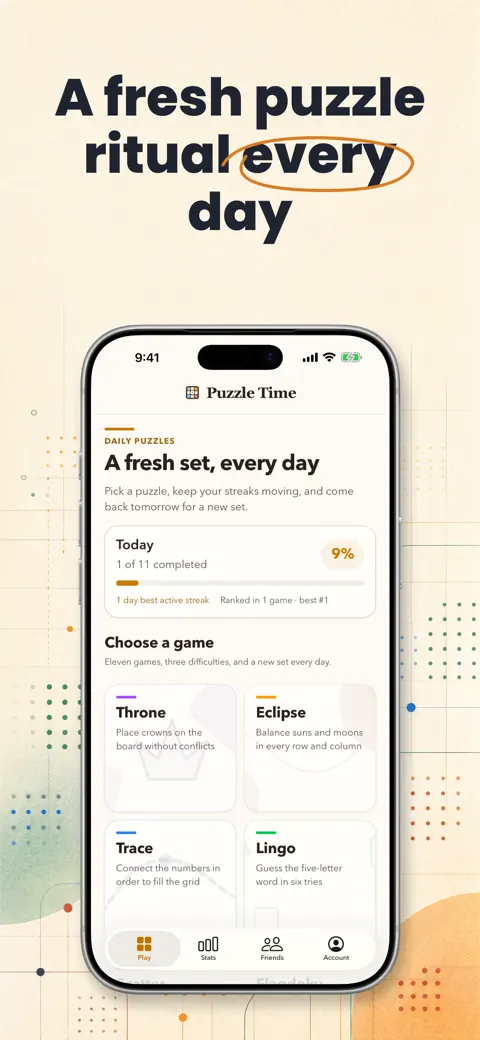
Screenies suits the release where you want the set proposed rather than assembled: it plans the headlines, palette, and background art from your uploaded screens, then places each capture in the device frame in code, as in the Puzzle Time set above. It has no canvas editor and no template gallery, and each batch covers one device and one orientation, so iPhone and iPad are two runs. Headline edits after generation are free, and a new generation draws on prepaid credits, one for each iPhone slide and two for each iPad slide.
Before you buy: common questions
Are the rankings on page one independent?
The Reddit thread is the clearest independent source, since it's developers comparing notes. The Screenhance roundup is published by Screenhance, the tool pages that rank describe only themselves, and the Medium test is posted from a personal account, so check whether its author is tied to a tool before relying on it.
Which of these tools cover iPad as well as iPhone?
AppLaunchpad and Screenshots Pro list iPad devices on their pricing pages, and AppScreens includes the 12.9-inch iPad size on its free plan with the smaller iPad sizes on paid plans. Launch Shots counts one credit per set for one device type, so an iPad set uses its own credit. Screenies generates iPad as a separate batch at two credits per slide.
Does a generator give me a file I can edit later?
Launch Shots keeps each direction editable. Screenies lets you change headlines, the ratings badge, and the source screen in each frame without regenerating; changing the background art requires generating that slide again, at one credit per iPhone slide.
Do any of these tools write the headlines for me?
AppScreens writes AI captions on its paid plans, Launch Shots writes a headline for each uploaded screen, and Screenies writes the headlines as part of its plan and caps each at 48 characters. The pages for AppMockUp Studio, AppLaunchpad, Screenshots Pro, and Screenhance list no headline writing, so plan on typing them yourself.
Is a one-time payment better than a subscription for screenshots?
For an app that changes its screenshots once or twice a year, a one-time purchase avoids paying for months you don't use. Screenies packs and the Launch Shots Launch Kit are one-time purchases. For monthly releases across several apps, an annual editor plan spreads its price over more sets.
Related guides

Free App Store Screenshot Generators and Their Limits
A buying guide to free App Store screenshot generators, what each one actually exports, where the free tier ends, and why generation is a paid trade.
AI App Store Screenshot Generator
A buyer's guide to AI App Store screenshot generators, with named tools, real prices, and the checks that separate AI planning from template galleries.
Best MCP Servers for Claude Code: 13 Worth Adding
A working list of MCP servers for Claude Code, each with its install command, transport, and the job it does, from Context7 and Sentry to Playwright, Figma, and Screenies.